User Registration
How to register into our platform?
Click the sign on the top right corner of the homepage to direct you to user registeration.
Required Details
Enter the following required details:
-
Enter your required Tenant name
-
Enter your required Username name
-
Enter your required Email address
-
Enter your required Password
Tenant
Tenant refers to multiple departments within an account that allows you to create, organise and manage cloud resources.
Username
Username refers to any random name you would like to assign to your account.
Email address
The Email address you would like to add to your account.
Password
Secret code to access your account. Do not share with anyone other than your trusted partners.
Here's an example of the User Registration screen after entering the above details.
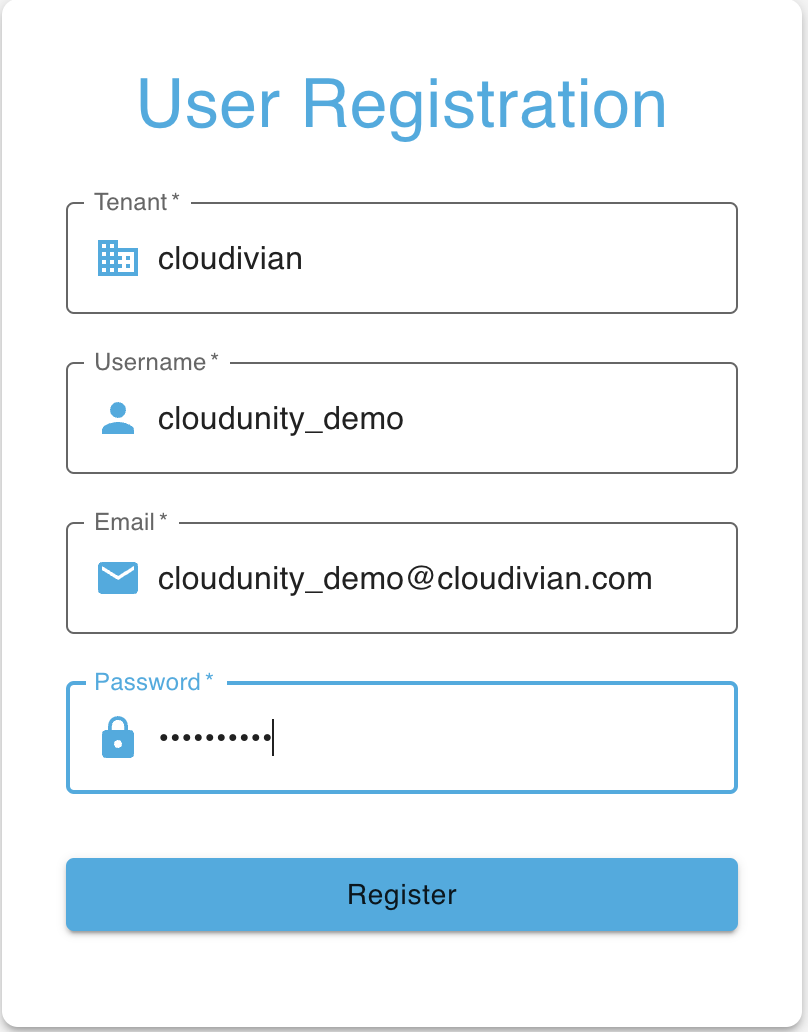
Now click on "Register" to complete your registration.